
Your verified profile
Understand when your public profile appears and what PopupNeko verification means.
On this page
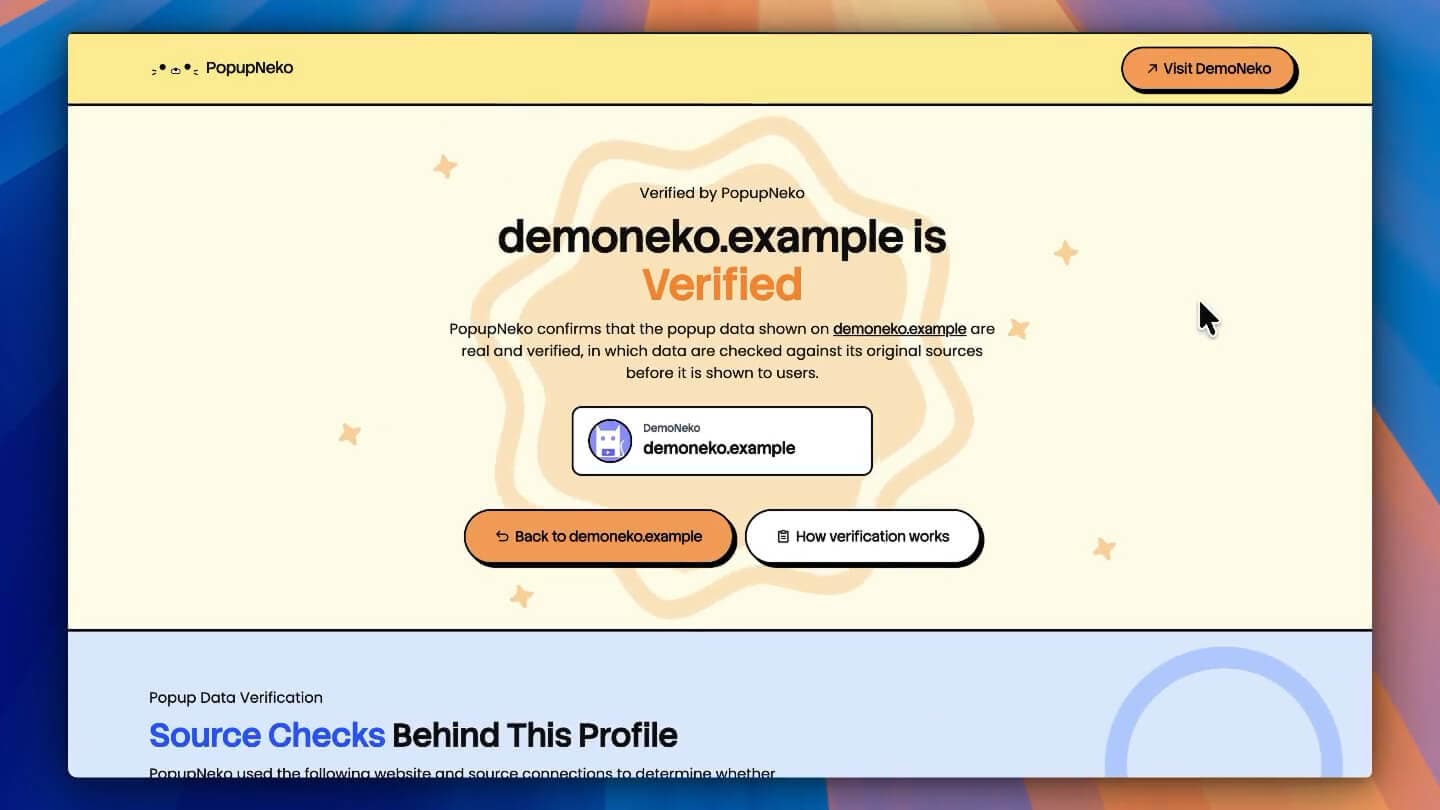
A verified profile gives visitors a public page showing your website connection and qualifying data sources. You can explore the fictional DemoNeko profile to see the presentation.
When the page is available
A real profile requires all of the following:
- Your project has live subscription access.
- The project is enabled.
- PopupNeko has detected the installed script.
- At least one qualifying source is connected: a live payment provider or an eligible Chrome Web Store review source with confirmed ownership.
Its address follows /site/your-domain.com, using the normalized production domain. The production domain and www form resolve to the canonical profile.
If a requirement stops being met, the page becomes unavailable. Unknown and ineligible projects show the same not-found response.
What verification means
The page confirms the website connection and names the connected third-party sources. It does not verify the legal identity of the business, guarantee its products, or represent a PopupNeko endorsement.
Displayed verification dates refer to the relevant connection/source checks. They should not be read as the time of the latest customer purchase or a promise of continuous auditing.
The current profile focuses on website and source verification. It does not publish a full customer transaction log or individual event-proof pages.
Links from your popups
When the profile qualifies, the installed popup can link its verified attribution to that page. If it does not qualify, the popup can retain provider wording and its badge without the profile link or arrow.
On a first installation load, automatic verification may still be running. After detection succeeds, a later popup initialization can receive the profile link. Give the page a moment to update and reload the installed site.
Removing PopupNeko branding on Growth does not remove the separate verified-source attribution. Product links and original-review links are also configured separately.
If your profile is unavailable
Check access and the project switch, then run Verify Connection on Install Script and inspect your integration status. A demo preview or a test credential is not a substitute for a qualifying production source.
Finish installation verification before troubleshooting the profile link. If the script only exists after client-side injection, read script detection.